Article
SATA SSD vs. NVMe SSD: Key Differences
Sammy · November 3, 2026
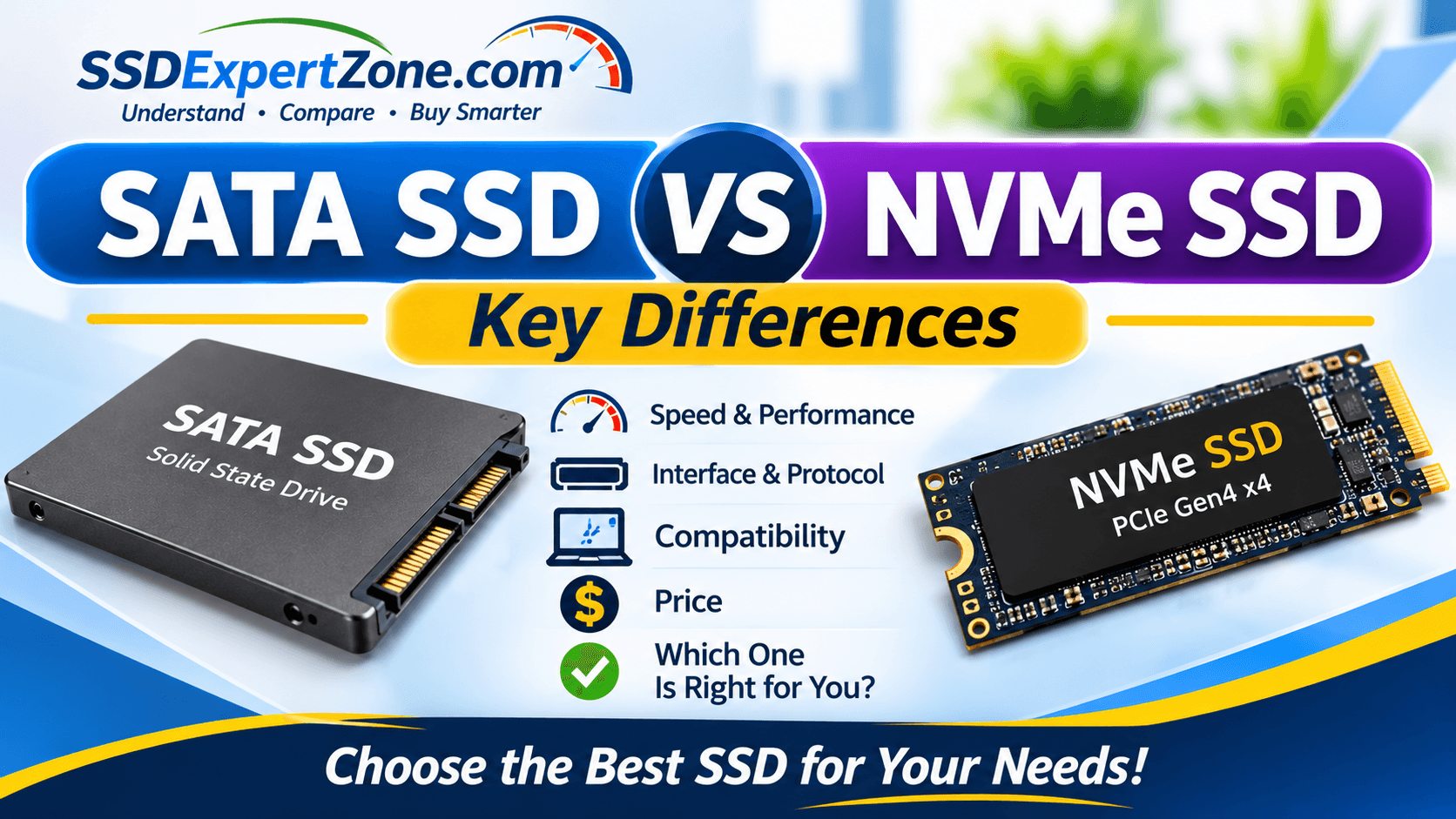
When shopping for a solid-state drive (SSD), you will often come across two common terms: SATA and NVMe.
Both technologies are used in modern SSDs, but they differ in how they connect to a computer, communicate with the system, and transfer data.
A SATA SSD is commonly used as an affordable storage upgrade for older laptops and desktop computers. An NVMe SSD, on the other hand, uses the PCIe interface to deliver much higher data transfer speeds and lower latency.
But does that mean NVMe is always the better choice?
Not necessarily. Your computer's compatibility, storage needs, budget, and intended workload all matter when choosing between these two SSD ty
pes.
In this guide, we compare SATA SSDs and NVMe SSDs, explain their key differences, and help you decide which one is right for your computer.
1. What Is a SATA SSD?
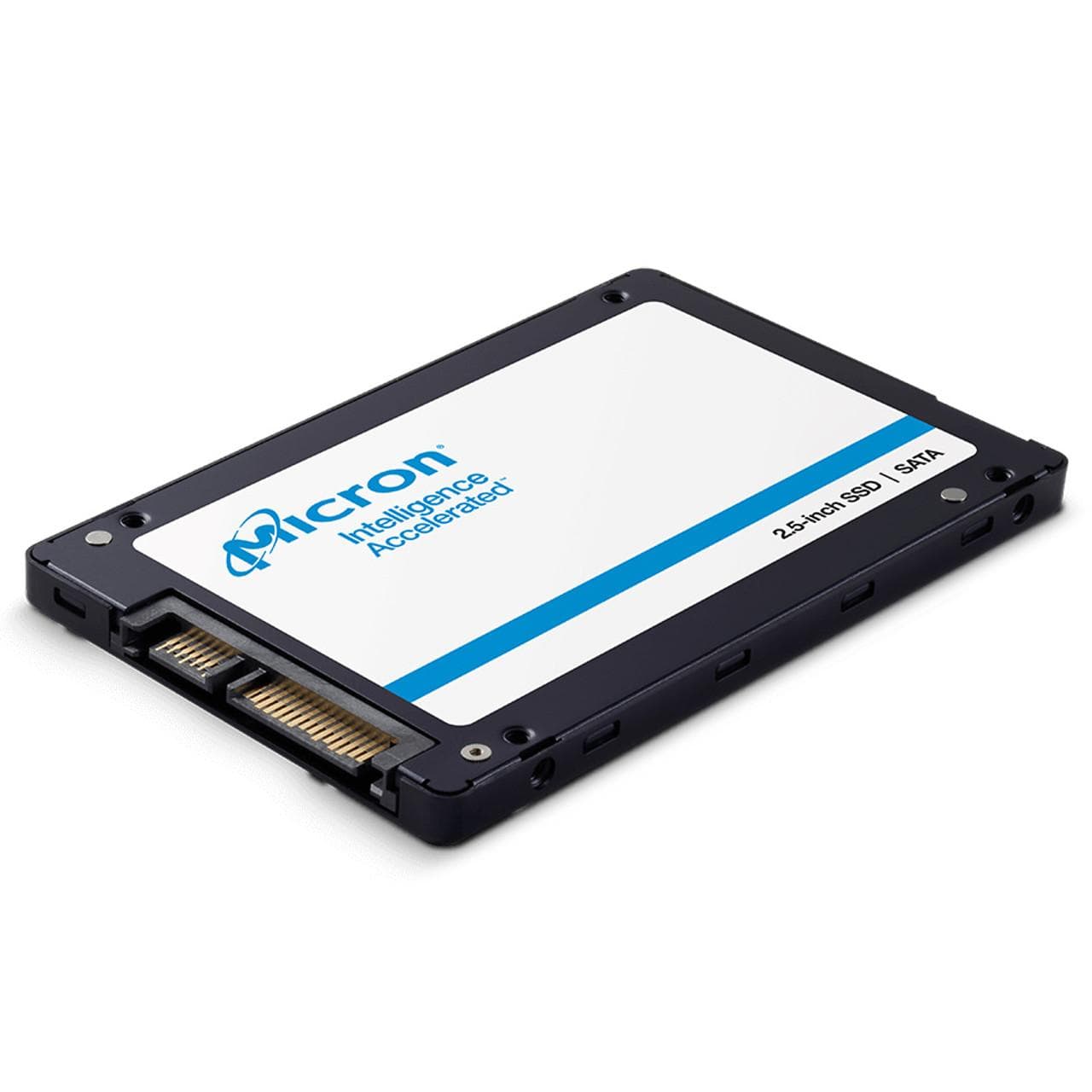
A SATA SSD is a solid-state drive that uses the Serial ATA (SATA) interface to communicate with a computer.
SATA was originally developed for connecting storage devices such as hard disk drives and optical drives. It was later adopted by SSD manufacturers.
Unlike traditional HDDs, SATA SSDs use NAND flash memory to store information electronically. However, they use the SATA communication interface, which limits their maximum transfer speeds.
Most traditional SATA SSDs use a 2.5-inch form factor, although SATA M.2 SSDs also exist.
Key Features of SATA SSDs
- Use the SATA interface.
- Commonly available in 2.5-inch and M.2 form factors.
- SATA III supports a maximum link speed of 6 Gb/s.
- Typical maximum sequential read speeds are around 500–550 MB/s.
- Compatible with many older computers that support SATA storage.
- Often affordable compared with high-performance NVMe drives.
SATA SSDs are popular upgrades for computers that originally came with traditional hard drives.
2. What Is an NVMe SSD?
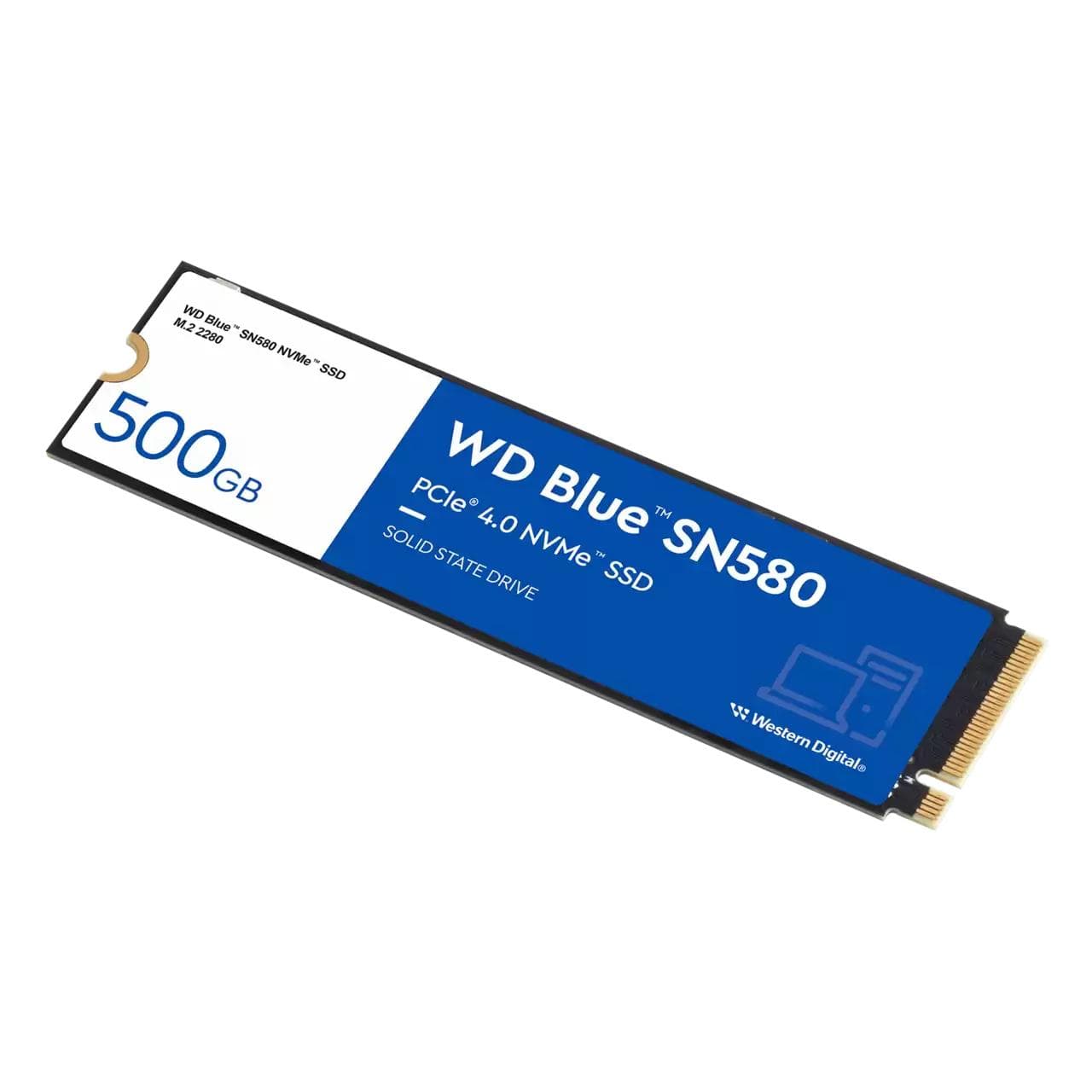
NVMe stands for Non-Volatile Memory Express.
It is a storage communication protocol designed specifically for flash-based storage devices.
Unlike SATA, which was originally designed for older storage technologies, NVMe takes advantage of the PCI Express (PCIe) interface.
This allows NVMe SSDs to communicate with the computer using a faster connection with lower latency and more efficient handling of multiple data requests.
Most consumer NVMe SSDs use the M.2 form factor, although NVMe drives are also available in other physical designs.
Key Features of NVMe SSDs
- Use the NVMe communication protocol.
- Connect through PCIe.
- Commonly available in the M.2 form factor.
- Support much higher transfer speeds than SATA SSDs.
- Offer lower storage communication latency.
- Suitable for demanding workloads such as large file transfers, gaming, video editing, and professional applications.
The actual speed depends on the PCIe generation, number of lanes, SSD controller, NAND memory, and the drive's design.
3. SATA SSD vs. NVMe SSD: Key Differences
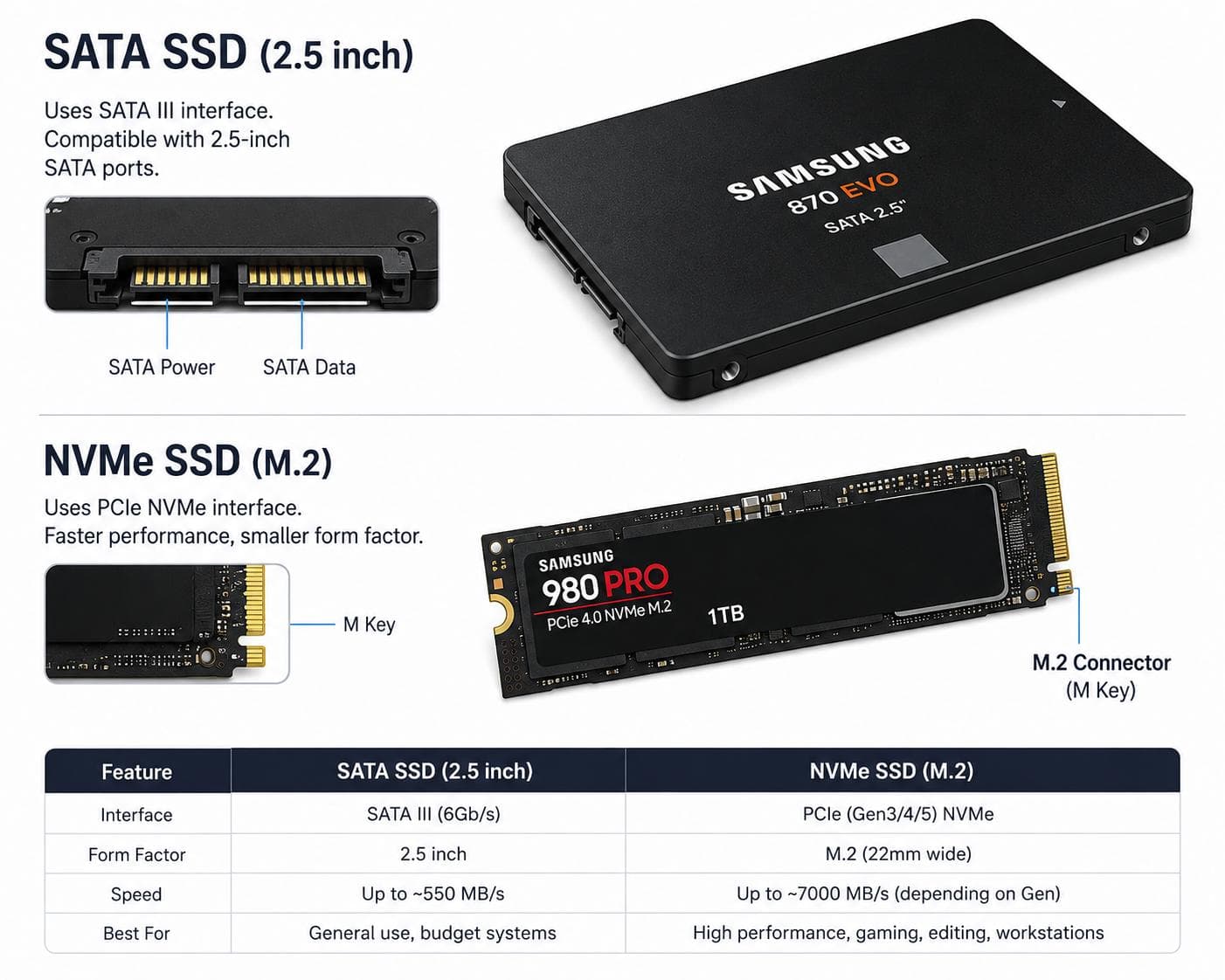
The biggest difference between SATA and NVMe SSDs is how they communicate with the computer.
SATA SSDs use the SATA interface, while NVMe SSDs use PCIe through the NVMe protocol.
Here is a comparison of their main characteristics.
Feature
SATA SSD
NVMe SSD
Interface
SATA
PCIe
Protocol
AHCI
NVMe
Typical form factor
2.5-inch or M.2
M.2 and other formats
Maximum interface speed
SATA III: 6 Gb/s
Depends on PCIe generation and lanes
Typical sequential speeds
Around 500–550 MB/s
Can range from around 1,500 MB/s to over 14,000 MB/s
Latency
Generally higher
Generally lower
Performance
Suitable for everyday computing
Suitable for everyday and demanding workloads
Compatibility
Requires SATA support
Requires compatible PCIe/NVMe support
Price
Often affordable
Varies by performance and capacity
Note: The speeds above are illustrative. Actual SSD performance varies by model and configuration. The NVMe range is not a specification for every NVMe SSD.
4. Speed: Which Is Faster?
Speed is one of the biggest differences between SATA and NVMe SSDs.
A SATA III SSD has a maximum interface speed of 6 gigabits per second (Gb/s). Because of protocol overhead, practical sequential transfer speeds are generally around 500–550 megabytes per second (MB/s).
NVMe SSDs use PCIe, which provides much greater bandwidth.
For example:
SSD type
Approximate sequential read speed
SATA III SSD
500–550 MB/s
PCIe 3.0 NVMe SSD
Up to around 3,500 MB/s
PCIe 4.0 NVMe SSD
Up to around 7,500 MB/s
PCIe 5.0 NVMe SSD
Up to around 14,000 MB/s or more
These are illustrative upper-end figures, not guaranteed speeds. Individual models can perform significantly below or above some of these values.
Why Is NVMe Faster?
There are several reasons:
1. Higher bandwidth
PCIe offers substantially more bandwidth than SATA. This allows compatible NVMe SSDs to transfer much larger amounts of data.
2. Lower latency
NVMe was designed for flash storage and provides a more efficient communication pathway between the storage device and computer.
3. More efficient command handling
NVMe supports multiple queues and many commands per queue, making it better suited to handling numerous simultaneous storage requests.
4. PCIe generations
Newer PCIe generations provide greater bandwidth per lane.
This means a PCIe 4.0 NVMe SSD can offer higher potential speeds than a comparable PCIe 3.0 model, provided the computer supports the newer standard.
5. SATA vs. NVMe: Understanding the Physical Connection
One common source of confusion when shopping for SSDs is the difference between SATA, NVMe, and M.2.
These terms do not all describe the same thing.
- SATA is a storage interface and communication standard.
- NVMe is a storage communication protocol.
- PCIe is the connection interface used by NVMe SSDs.
- M.2 is a physical form factor and connector specification.
An M.2 SSD can use either SATA or NVMe, depending on its design.
2.5-Inch SATA SSD
A 2.5-inch SATA SSD is a rectangular drive that commonly connects using SATA data and power cables.
It is frequently used in desktop computers and laptops designed for 2.5-inch storage drives.
M.2 SATA SSD
An M.2 SATA SSD is a smaller storage device that fits into a compatible M.2 slot but communicates using the SATA interface.
Although it looks similar to an M.2 NVMe SSD, it does not offer NVMe performance.
M.2 NVMe SSD
An M.2 NVMe SSD is a compact drive that uses the PCIe interface and NVMe protocol.
It plugs directly into a compatible M.2 slot on a motherboard, usually without requiring separate SATA data and power cables.
Important: Do not assume that every M.2 slot supports both SATA and NVMe drives. Check your motherboard or laptop specifications before buying.
6. SATA SSD vs. NVMe SSD: Compatibility
Before choosing an SSD, you need to confirm that it is compatible with your computer.
This is especially important when upgrading an older laptop or desktop.
SATA SSD Compatibility
A SATA SSD can work in a computer that supports SATA storage and has the appropriate physical connection.
For example, a laptop with a 2.5-inch SATA hard drive may support a 2.5-inch SATA SSD upgrade.
However, some newer laptops no longer include a 2.5-inch drive bay.
NVMe SSD Compatibility
An NVMe SSD requires a compatible PCIe/NVMe connection.
For an M.2 NVMe drive, check:
- Whether the computer has an M.2 slot.
- Whether the slot supports NVMe/PCIe.
- Which PCIe generation is supported.
- Which PCIe lane configuration is supported.
- The supported M.2 drive length, such as 2230, 2242, or 2280.
An NVMe SSD may work in a computer with a newer or older supported PCIe generation, but its performance will depend on the capabilities of the system.
For example, a PCIe 4.0 SSD installed in a system that supports only PCIe 3.0 will generally operate at the lower supported generation.
Before purchasing: Consult your computer or motherboard manufacturer's specifications. The appearance of an M.2 slot alone does not confirm NVMe compatibility.
7. Price: Which SSD Is More Affordable?
Price is another consideration when comparing SATA and NVMe SSDs.
SATA SSDs are often affordable, especially when purchasing an upgrade for an older computer.
NVMe SSDs are available across a wide range of prices. Basic models can be affordable, while high-performance PCIe 4.0 and PCIe 5.0 drives may cost more.
However, prices vary by manufacturer, capacity, NAND type, performance, warranty, and market conditions.
When comparing prices, consider the cost per terabyte rather than looking only at the purchase price.
For example, compare two SSDs with the same storage capacity and consider:
- Read and write speeds.
- NAND technology.
- DRAM or DRAM-less design.
- Endurance rating (TBW).
- Warranty period.
- Manufacturer support.
A more expensive SSD is not automatically the best choice for every computer.
8. SATA SSD vs. NVMe SSD for Everyday Use
Does having a faster NVMe SSD mean your computer will always feel dramatically faster?
Not necessarily.
Both SATA and NVMe SSDs can make a computer feel much faster than an HDD.
For everyday activities such as browsing the internet, opening documents, sending emails, and starting common applications, the difference between a SATA SSD and a good NVMe SSD may be less noticeable than their advertised sequential speeds suggest.
However, NVMe can offer more noticeable benefits in demanding workloads.
When SATA SSDs Are Suitable
A SATA SSD can be a practical choice for:
- Older laptops and desktop computers.
- Everyday office work.
- Internet browsing.
- School and college work.
- Basic productivity applications.
- General computer upgrades.
When NVMe SSDs Are Suitable
An NVMe SSD may be a better choice for:
- Video editing.
- Large file transfers.
- Professional creative applications.
- Workloads involving many storage requests.
- Modern gaming systems.
- High-performance computers.
- Large projects involving frequent data access.
Your actual experience will depend on the rest of your computer hardware and the applications you use.
9. Which SSD Is Better for Gaming?
Both SATA and NVMe SSDs can be used for gaming.
A SATA SSD can significantly improve game loading times compared with a traditional HDD.
However, modern games and newer gaming systems can benefit from NVMe storage, particularly where games are designed to take advantage of faster storage and technologies such as DirectStorage.
NVMe SSDs can also help when transferring large game files or installing and updating games.
If you are building a new gaming computer, an NVMe SSD is generally a sensible choice when your motherboard supports it and your budget allows.
For an older computer that supports only SATA storage, a SATA SSD is still a worthwhile upgrade.
10. Which SSD Lasts Longer?
It is not accurate to say that every SATA SSD lasts longer than every NVMe SSD, or the other way around.
Both types use NAND flash memory, which has a limited number of program-and-erase cycles.
An SSD's endurance depends on several factors, including:
- NAND flash type.
- Drive capacity.
- Controller and firmware design.
- Write workload.
- Operating temperature.
- Overall manufacturing quality.
Manufacturers often provide an endurance rating called TBW (Terabytes Written).
TBW estimates the amount of data that can be written to a drive under specified conditions during its rated life.
When comparing SSDs, check the manufacturer's TBW rating and warranty rather than assuming that the interface determines lifespan.
11. Can You Replace a SATA SSD with an NVMe SSD?
Sometimes, yes. However, it depends on your computer.
If your laptop or desktop has an available M.2 slot that supports NVMe, you may be able to install an NVMe SSD alongside your existing SATA drive.
If your computer supports only SATA storage, you cannot simply install an M.2 NVMe drive into a SATA-only connection and expect it to work.
Before upgrading:
- Identify your computer's exact model.
- Check the manufacturer's storage specifications.
- Confirm whether an M.2 slot is available.
- Verify whether it supports SATA, NVMe, or both.
- Check the supported drive dimensions and PCIe generation.
- Back up important files before making changes.
You can also consider cloning your existing drive if you want to transfer your operating system and files to the new SSD.
12. SATA SSD vs. NVMe SSD: Which One Should You Buy?
The right choice depends on your computer and what you want to achieve.
Your situation
Recommended option
Older computer with SATA-only support
SATA SSD
Laptop replacing a 2.5-inch HDD
2.5-inch SATA SSD, if supported
Modern computer with M.2 NVMe support
NVMe SSD
Gaming computer
NVMe SSD, where supported
Everyday office and browsing
Either, depending on compatibility
Video editing and large file transfers
NVMe SSD
Limited upgrade budget
Compare affordable compatible models
Choose a SATA SSD if:
- Your computer supports SATA but not NVMe.
- You want to replace an old HDD.
- You need an affordable everyday storage upgrade.
- Your workload does not require very high storage speeds.
Choose an NVMe SSD if:
- Your computer supports NVMe.
- You want higher storage bandwidth.
- You regularly work with large files.
- You use demanding creative or professional applications.
- You are building or upgrading a modern computer.
Frequently Asked Questions
1. Is NVMe faster than SATA SSD?
Yes. NVMe SSDs generally offer much higher transfer speeds and lower latency than SATA SSDs because they use PCIe rather than the SATA interface.
2. Is an M.2 SSD the same as an NVMe SSD?
No. M.2 describes a physical form factor and connector specification, while NVMe is a storage protocol. An M.2 SSD can use either SATA or NVMe, depending on its design.
3. Can an NVMe SSD work in a SATA M.2 slot?
Generally, no. An M.2 slot designed only for SATA SSDs does not support NVMe drives. Always check your motherboard or laptop specifications.
4. Is a SATA SSD still worth buying?
Yes. SATA SSDs remain useful for older computers and everyday computing. They can provide a substantial performance improvement over traditional HDDs.
5. Does NVMe improve gaming performance?
NVMe can improve game loading and file transfer times, particularly in games and systems designed to benefit from faster storage. However, it does not automatically increase frame rates, which depend on several other hardware components.
6. Can I install both SATA and NVMe SSDs in one computer?
Yes, if your motherboard or laptop supports the required connections and has available storage slots or ports.
7. Which is better: PCIe 3.0, PCIe 4.0, or PCIe 5.0 NVMe?
PCIe 4.0 and PCIe 5.0 offer greater potential bandwidth than PCIe 3.0. However, the best choice depends on your computer's compatibility, workload, budget, and the SSD's actual performance.
Conclusion
SATA and NVMe SSDs both provide solid-state storage, but they use different technologies to communicate with a computer.
SATA SSDs are practical, affordable upgrades for many older computers and everyday users. NVMe SSDs offer higher potential speeds and lower latency, making them suitable for modern systems and demanding workloads.
Before purchasing an SSD, check your computer's compatibility, storage requirements, and budget.
At SSDExpertZone, we help you understand storage technology, compare SSD options, and make smarter storage decisions.